0%

Bluetooth Audio Eyewear is moving from novelty product to practical wearable technology. Bluetooth SIG’s 2024 Bluetooth Market Update reports that 5.4 billion Bluetooth devices shipped globally in 2023. It forecasts annual shipments could reach 7.6 billion by 2028. Audio remains a major part of this ecosystem. However, broad Bluetooth growth does not guarantee that every pair of audio glasses performs well.

This guide, “10 Tips for Buying Bluetooth Audio Eyewear,” focuses on decisions buyers can test in real situations. Check battery performance during calls, not only music playback. Examine speaker placement near the ears. Open-ear designs should sound clear without becoming painfully loud. Fit matters too. A frame that slips while walking may become useless, regardless of its specifications. Look for stable Bluetooth connectivity, microphone quality, charging time, water resistance, and compatibility with your phone. Small details matter.

Privacy deserves attention.

Microphones, voice assistants, and app permissions require careful review. The European Union Agency for Cybersecurity consistently emphasizes security and privacy risks across connected consumer devices. Buyers should also inspect warranty terms, replacement parts, software support, and return policies. Grand View Research identifies smart glasses as a growing wearable technology category, but market forecasts are not personal guarantees. A highly rated model may still feel uncomfortable after twenty minutes. I have found that advertisements often highlight stylish frames while hiding battery compromises. That is worth questioning. These ten tips aim to combine industry evidence with practical judgment, helping readers choose reliable Bluetooth Audio Eyewear for commuting, calls, travel, and everyday listening.
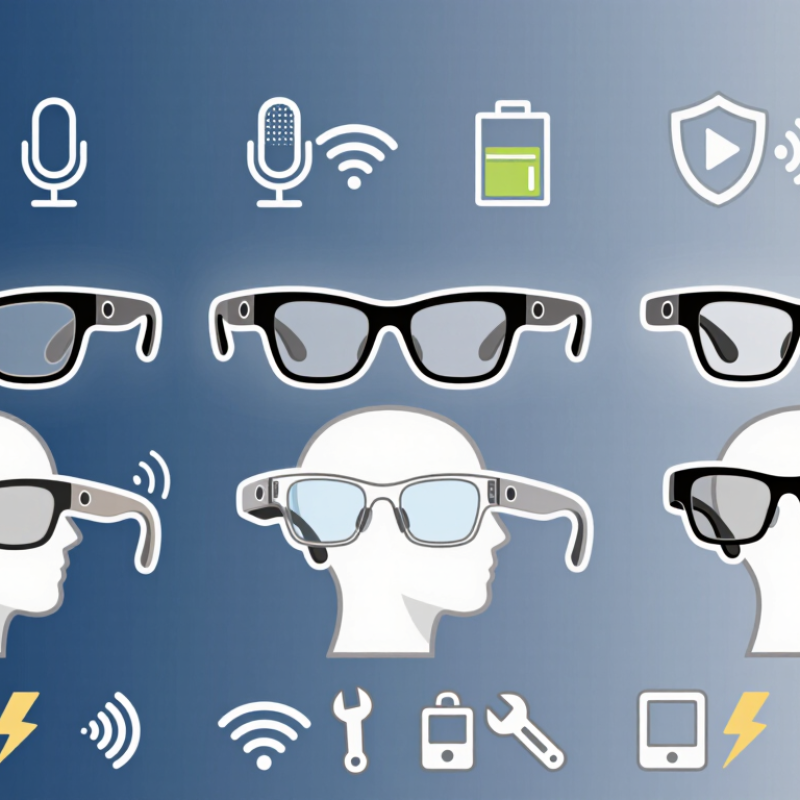
10 Tips for Buying Bluetooth Audio Eyewear

Define Your Main Uses and Listening Priorities

Before buying Bluetooth audio eyewear, define where and why you will use it. A commuter may value clear navigation prompts, while a cyclist may prioritize awareness of surrounding traffic. At home, comfortable music playback could matter more than maximum call volume. Write down your three most common listening situations. Be honest. If you mainly answer short calls, powerful bass is unnecessary. If you listen to podcasts for hours, balanced speech and low pressure around your ears deserve attention. I once focused on sound richness and ignored temple comfort; after an hour, the frame felt distracting. That mistake changed how I evaluate wearable audio.

Match specifications to those priorities, not to impressive numbers alone. Check whether the speakers direct sound toward your ears and whether nearby people can hear them. Open-ear designs can preserve environmental awareness, but they may struggle in windy streets or busy stations. Test voice calls outdoors. Ask a friend. Notice microphone clarity, connection stability, playback controls, and battery performance during your normal routine. Glasses that last all day in a laboratory may perform differently with frequent calls and high volume. Fit also affects audio quality; a small shift can make speech seem thin. Try them with your usual prescription lenses, helmet, or hat if relevant. The best choice may involve compromise. Repeat the test during a busy commute and a quiet evening.

Compare Audio Quality, Connectivity, and Device Compatibility

10 Tips for Buying Bluetooth Audio Eyewear

Audio eyewear should sound clear, not merely loud. Open-ear speakers preserve awareness, but nearby traffic can weaken bass and speech detail. Test podcasts, calls, and music in a quiet room and beside a busy street. Bluetooth SIG’s 2024 Market Update forecasts 7.6 billion Bluetooth device shipments annually by 2028. That growth does not guarantee better sound. Check speaker placement, microphone clarity, maximum comfortable volume, and sound leakage. A practical test is simple: ask someone to speak while playing a familiar podcast.

Connectivity deserves equal attention. Look for the supported Bluetooth version, connection range, pairing speed, and multipoint switching. Newer Bluetooth features may improve efficiency, but both devices must support them. Confirm whether the eyewear uses classic Bluetooth audio, LE Audio, or both. Codec support can affect delay and sound quality, especially during video calls. The Bluetooth SIG also reports that audio streaming remains one of Bluetooth’s major growth areas, so specifications are becoming more varied. More choices can create confusion.

Compatibility is often overlooked. Check support for your phone, laptop, voice assistant, and required companion application. Some eyewear may pair with a computer but lose call controls or firmware updates. Review operating-system requirements before purchase. I once trusted a product page too quickly and missed a needed application permission. That was inconvenient. Battery claims also need context; calls, high volume, and frequent switching reduce runtime. Compare measured tests, not only advertised figures. Industry testing standards help, but personal use still differs. Your commute is the final laboratory.

Evaluate Frame Comfort, Fit, Controls, and Battery Life

Buying Bluetooth audio eyewear requires more than choosing attractive frames. Comfort affects daily use, especially during commuting or long walks. Try the glasses for at least ten minutes. Notice pressure around your nose, temples, and ears. Heavy frames can become irritating quickly. I once underestimated this detail, and the discomfort appeared after an hour.

Tip 1: Check the fit while moving.

Tilt your head, smile, and look down. The frame should stay stable without squeezing your temples. Test it with your usual hairstyle and prescription lenses, if needed. Adjustable nose pads may improve comfort, but they cannot fix every poorly balanced design.

Tip 2: Examine the controls carefully.

Buttons should be easy to locate without looking in a mirror. A raised surface helps when wearing gloves, though overly sensitive controls may cause accidental pauses. Test volume, calls, and playback in a quiet room. Then test them outdoors. Wind can make small control mistakes more frustrating. Voice controls may be useful, but they are not always reliable in crowded places.

Tip 3: Treat battery life claims as estimates.

Playback volume, call frequency, and wireless connection strength can change performance. Look for charging indicators that are clear and easy to understand. A short charging cable may be inconvenient. Check the charging port, too. It should feel secure, not loose. Real-world battery results may disappoint, so leave some daily power margin.

Check Safety Features, Durability, Privacy, and Weather Resistance

Buying Bluetooth audio eyewear requires more than checking sound quality. Safety, durability, privacy, and weather resistance deserve equal attention. WHO and ITU recommend limiting listening to 80 dB for 40 hours weekly for adults. For children, the limit is 75 dB.

Tip 1: Choose adjustable volume controls.
Tip 2: Test sound leakage in a quiet room.
Tip 3: Check charging protection and battery documentation.
Tip 4: Prefer products referencing recognized electrical safety standards, such as IEC 62368-1. Certification details should be visible, not vague.

Weather claims can mislead. IEC 60529 defines IP ratings, but an IP number does not promise unlimited waterproofing.

Tip 5: Look for a specific IP rating.
Tip 6: Check protection against sweat, rain, and dust separately.
Tip 7: Inspect hinges, lenses, and charging ports for firm construction.
Tip 8: Read testing conditions carefully.

I once treated “water-resistant” like “waterproof.” That was careless. A rainy commute can expose weak seals quickly.

Privacy also needs practical checking.

Tip 9: Review microphone permissions before pairing the glasses.
Tip 10: Select models that explain data collection, storage, deletion, and software updates.

The Verizon 2025 Data Breach Investigations Report found that third-party involvement appeared in 30% of reviewed breaches. That finding is not specific to eyewear, but connected accessories still expand the digital chain. Disable unused voice features. Avoid automatic pairing in shared spaces. Battery life, repair access, and replacement parts matter too. Small hinges fail first, sometimes.

Review Prescription Options, Pricing, Warranty, and After-Sales Support

Buying Bluetooth audio eyewear requires more than checking sound quality. Prescription compatibility should be confirmed before payment. Ask whether the lenses support your prescription range, pupillary distance, thickness, and coatings. Some frames accept replacements through optical shops; others require special fitting. Bring a current prescription, not an old screenshot. I learned this after a frame fit poorly around my temples. Small measurement errors became annoying by evening. A virtual fitting tool helps, but it cannot replace an in-person adjustment.

Pricing deserves a written breakdown. Compare the frame cost, prescription lenses, tint, blue-light treatment, shipping, and fitting fees. A low advertised price may exclude lenses or charging accessories. Ask about battery replacement costs too. Audio eyewear can feel expensive when several small fees appear later. Check return conditions for customized lenses. Many sellers limit returns after prescription work begins. That detail is easy to miss.

Read warranty terms before relying on them. Confirm coverage for speakers, microphones, charging ports, hinges, batteries, and water exposure. Battery capacity declines with use, yet warranty language may exclude normal wear. Keep invoices, prescription records, and support messages in one folder. Reliable after-sales support should provide clear repair timelines and accessible contact channels. Test the product during the return window. Do not wait for a problem. I once postponed testing call quality and found outdoor wind badly affected conversations. My judgment was too optimistic. A careful trial would have exposed that earlier.

10 Tips for Buying Bluetooth Audio Eyewear

Use this checklist to compare prescription compatibility, total pricing, warranty coverage, and after-sales support before purchasing Bluetooth audio eyewear.

How to read the chart: The ten tips are grouped by the main buying considerations covered in this guide. The figures represent checklist items, not market-share or brand-performance data.

FAQS

How should I choose Bluetooth audio eyewear for my daily routine?

Write down three common listening situations. A commuter may need clear navigation prompts. A home listener may prefer comfortable music playback. Match features to real habits, not impressive numbers.

What sound features matter for podcasts and calls?

Balanced speech and steady microphone clarity matter most. Powerful bass may be unnecessary for short calls. Try voice calls outdoors. Wind can expose weak performance quickly.

Can open-ear audio improve environmental awareness?

Open-ear designs can help you notice traffic, conversations, and nearby movement. Busy stations and windy streets may reduce clarity. Awareness is useful, not perfect.

How can I test the fit properly?

Wear the eyewear with your usual lenses, helmet, or hat. A small frame shift can make speech sound thin. Walk around. Notice pressure near your temples after one hour.

What volume level is safer for regular listening?

Use adjustable volume controls and keep listening levels moderate. General health guidance recommends limiting adults to 80 dB for 40 hours weekly. Children need lower exposure limits. Louder is not always better.

How can I check sound leakage and privacy?

Test the eyewear in a quiet room. Ask a friend whether nearby audio is noticeable. Review microphone permissions before pairing. Disable unused voice features. Privacy settings deserve attention.

What should I check about weather resistance?

Look for a specific IP rating and read its testing conditions. Check sweat, rain, and dust protection separately. Water-resistant does not mean waterproof. I once treated them as identical. That was careless.

Which durability details deserve inspection?

Examine hinges, lenses, and charging ports for firm construction. Check battery documentation, repair access, and replacement parts. Small hinges may fail first. Unfortunately, they sometimes do.

How can connected eyewear protect personal data?

Choose products explaining data collection, storage, deletion, and software updates. Avoid automatic pairing in shared spaces. Limit unnecessary connected features. A connected accessory adds another digital link to manage.

What is the best way to make the final decision?

Repeat the test during a busy commute and a quiet evening. Check comfort, calls, controls, battery life, and connection stability. The best choice may involve compromise. That is easy to forget.

Conclusion

Choosing Bluetooth Audio Eyewear starts with identifying how you plan to use it, whether for calls, navigation, music, podcasts, or staying aware of your surroundings. Consider your listening priorities, then compare sound clarity, connection stability, device compatibility, and ease of switching between devices. A comfortable fit is equally important, so examine the frame shape, weight, nose support, button or touch controls, and expected battery life for daily use.

Before purchasing, review safety features, build quality, privacy controls, and resistance to rain, sweat, and everyday wear. If you need vision correction, check available prescription options and whether the lenses can be customized. Finally, compare total pricing with the included features, warranty coverage, return policy, and after-sales support. The best Bluetooth Audio Eyewear should provide a practical balance of clear audio, reliable performance, comfortable design, personal safety, and long-term value.

Olivia

Olivia

Olivia is a dedicated marketing professional with extensive experience in developing clear, insightful, and results-oriented content for businesses operating in a competitive global market. As a key member of our team, she combines strong communication skills with a deep understanding of our......